Desktop · June 2026
SpeakAnywhere — voice typing for Windows (Tauri, Rust, Whisper)
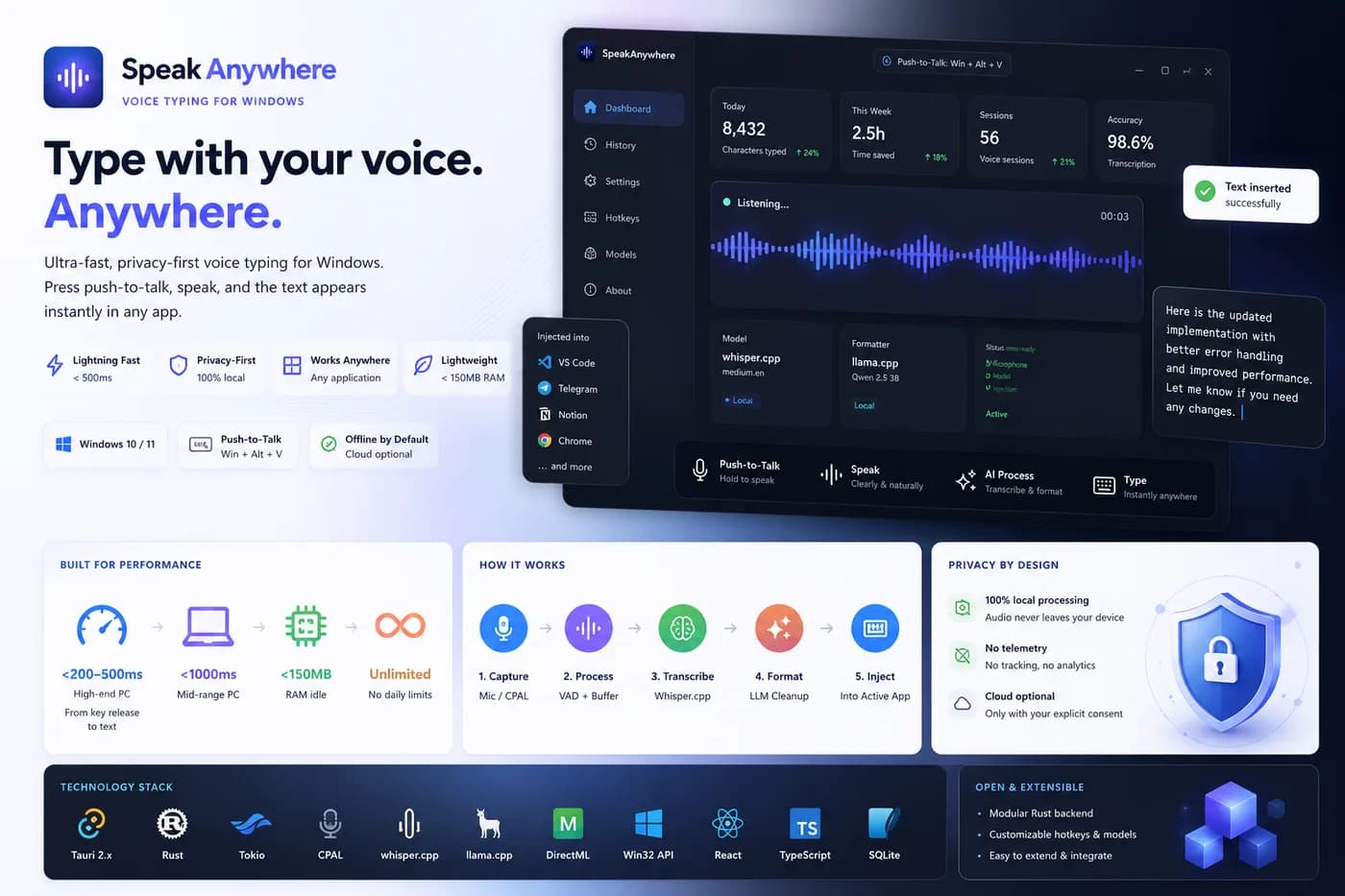
An ultra-fast, lightweight Windows desktop app for voice-typing text into any window in the system. With a global hotkey (push-to-talk) the app transcribes speech locally and instantly injects the finished text into the active input of any application — VS Code, Telegram, Notion, Slack, browsers. Audio processing is fully local by default, with no telemetry (privacy-first).
What was built:
- End-to-end processing pipeline: microphone capture (CPAL) → noise gate and VAD → in-memory audio buffer → transcription (Whisper) → text cleanup by a local LLM → injection into the active window
- Ultra-low latency: target from key release to text under 200-500 ms on high-end PCs, under 1000 ms on mid-range, under 150 MB RAM idle
- Modular Rust backend (audio, hotkeys, stt, llm, injection, overlay, settings, tray, windows) over async tokio mpsc channels
- Local STT on whisper.cpp with GPU acceleration (DirectML/CUDA) and optional cloud providers (OpenAI/Groq/Deepgram)
- AI text formatting via llama.cpp (Qwen 2.5 3B / Phi-4 mini): punctuation, casing, grammar
- Three-tier text injection strategy: Windows SendInput (Unicode) → Clipboard fallback → UI Automation (Accessibility API)
- Native UX: system tray, always-on-top recording overlay with waveform, global hotkeys, autostart; settings in SQLite
- Settings and onboarding UI in React + TypeScript, multilingual
Security: audio kept in memory only, never written to disk; cloud transfer only in explicit Cloud Mode over TLS 1.3; minimal permissions (microphone + input emulation).
Stack: Tauri 2.x, Rust, Tokio, Win32 API, CPAL, whisper.cpp, llama.cpp, DirectML/CUDA, React, TypeScript, Vite, SQLite.
Role: design and development of the app (Rust backend, Windows system integration, React UI).
Project screens
Screen 1 
Screen 2 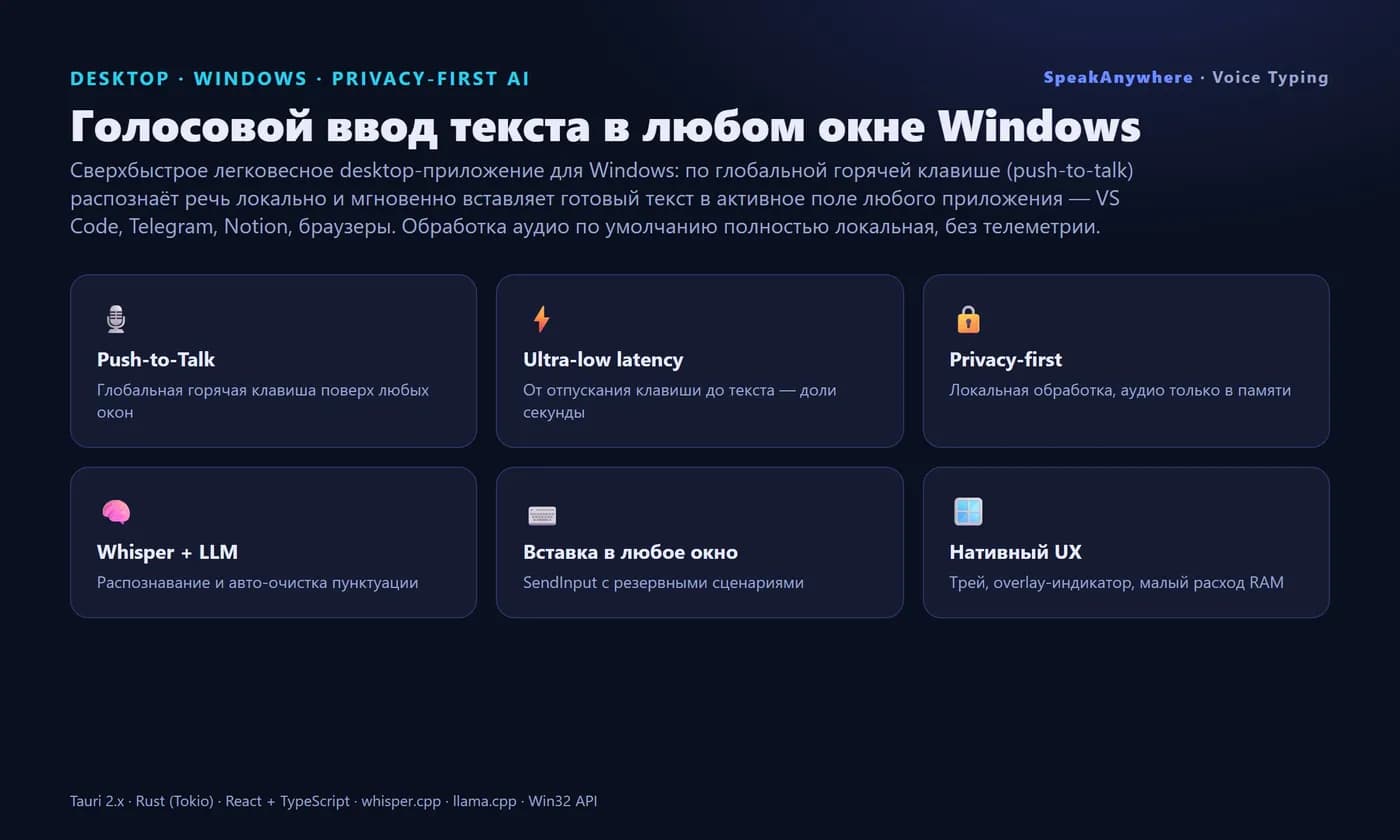
Screen 3 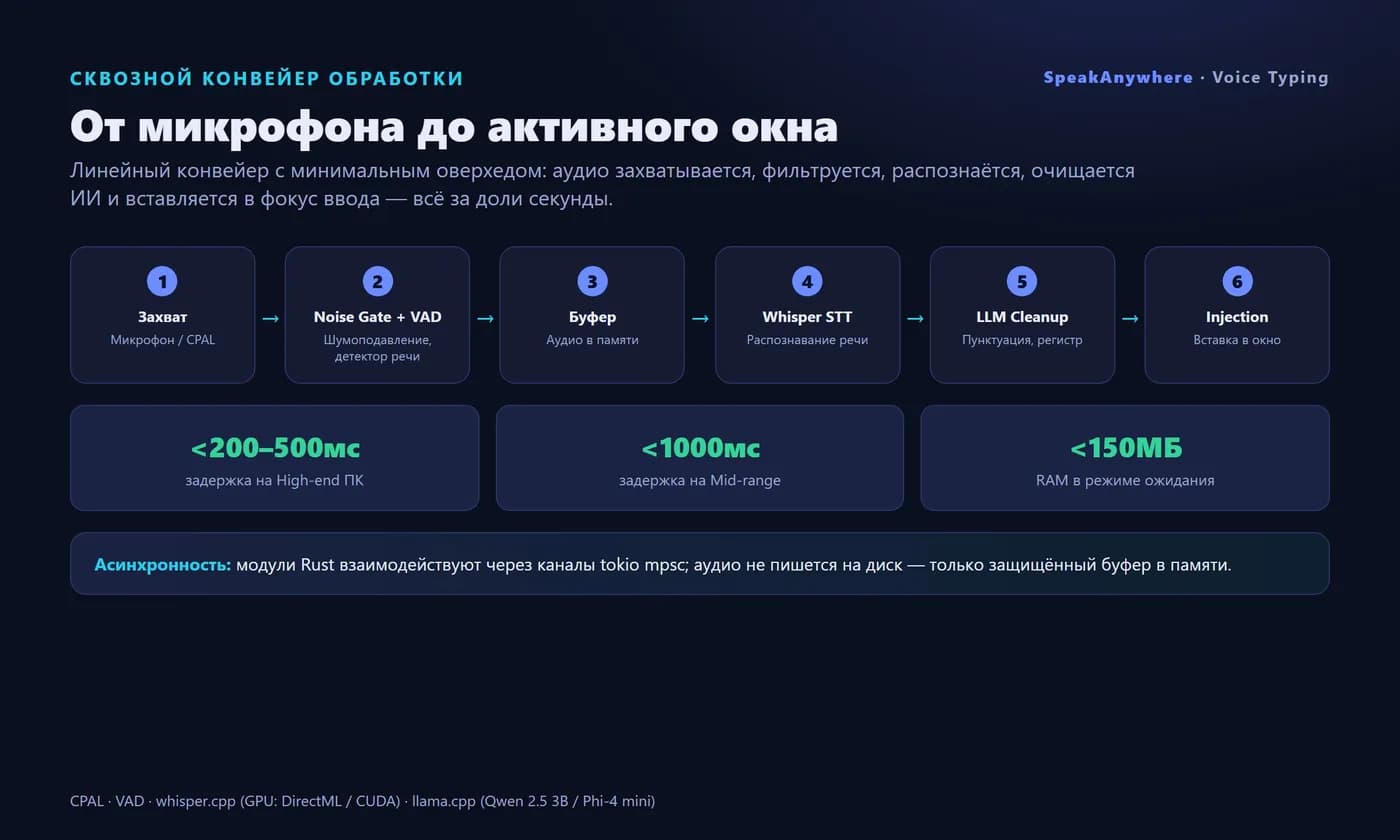
Screen 4